Showing posts with label terminal. Show all posts

Saturday, April 10, 2021

Play Command Line linux games with Powkiddy X18 controller


GPD XD Plus [Official distributor, Latest HW & Most Stable Update] Foldable Handheld Game Consoles 5" Touchscreen, Android 7.0 Fast Mediatek MT8176 Hexa-core 2.1GHz CPU, 4GB RAM/32GB ROM

Hey guys,

Check it out!

Like I've said before, one of the reasons I like the Powdiddy X18 or GPD XD Plus is because you can install the Termux app on it. Termux is a Linux terminal app for Android devices. It's not a full Linux O.S. but in spite of that, you can do quite a lot with it.

I'm no Linux expert but if you have used Linux distros, you basically know what it's all about. Now, you can already use WSL aka Windows Subsystem for Linux on a Microsoft Windows 10 pc. Termux is like the WSL of Android devices. In fact, with Andronix, I can even install Ubuntu 20 on my Powkiddy X18. Cool!


GPD XD Plus [Official distributor, Latest HW & Most Stable Update] Foldable Handheld Game Consoles 5" Touchscreen, Android 7.0 Fast Mediatek MT8176 Hexa-core 2.1GHz CPU, 4GB RAM/32GB ROM

As with any Linux terminal, you can install stuff. Of course, I'm interested in games. So, I like to check out games that can be played on the terminal. One of the few games I like is ninvaders and nsnake. Which you can install by typing sudo apt install ninvaders or nsnake.

Once, installed, you can play by typing the name of the game on the terminal. Pretty nifty. The games are pretty basic and there's no music or sound effect. But, it's still fun to play. Especially, now that I found out, I can play with the integrated controller of the Powkiddy X18.


Powkiddy X18 Handheld Games Console 2-Player Video Game Machine 5.5-Inch WiFi

I prefer to install Ubuntu 20 and use it instead of Termux because I wanted the latest python 3. Which is also included. So, how cool is that to be able to code and mess around with Python on a portable gaming device such as the X18 and XD Plus?

In any case, I'm actually surprised that I can play this old command-line Linux game with a controller. The stupid thing is that not all Android games can be played with a controller. That's why I like playing retro games. They come with controller support and best of all you can play them offline without ads.


GPD Win 2 [256GB M.2 SSD Storage] Mini Handheld Windows 10 Video Game Console Gameplayer 6" Laptop Notebook Tablet PC CPU M3-8100Y intel HD Graphics 615 8GB/256GB

I really like the portability of these devices that also allows me to use them like a computer any time and anywhere. Yes, there are laptops but to me, the smaller they are, the better. Of course, best of all for gamers is that they also come with an integrated keyboard or controller.

For small devices like this, I think an Android O.S. is good enough. They don't need lots of power like Microsoft Windows. Of course, the more powerful the CPU and GPU the better. Right now, you'll have a problem playing PUBG or COD mobile on the powkiddy X18.


[256GB M.2 SSD Version] GPD MicroPC Micro PC 6-inch Handheld Industry Laptop Mini PC Computer Windows 10 Pro or Ubuntu MATE,Supports RS-232,RJ45,Type C,USB 3.0,HDMI,MicroSDXC,Battery 2×3100mAh,8GB RAM

For average users, Android is already good enough. You can surf the net, watch youtube, check emails, listen to music, and much more. And, you can even use it for school or work. Why do you need an expensive high-end Windows 10 laptop for all that?

For the budget-conscious, Android devices fit theirs needs. Unless, of course, if you want to play the latest triple-A games. You can't compare simple command-line Linux games to games like Cyberpunk 2077. But, I'll still love, if I can play that game on the go on a portable game device.

Maybe, I can play PC games by streaming them to my Powkiddy X18 or the GPD XD Plus. But, I prefer if I can install it directly to the portable game console, like the Nintendo Switch. Well, I can already play Crysis on it. Although, I still can't use it as a normal PC, yet.

One thing for sure, I'm going to look out for more fun Linux stuff to do on my Powkiddy X18 after this post. 

What you guys think?

Help support this blog and youtube channel. Buy me Coffee @

https://www.buymeacoffee.com/W04oadL

*Shop the latest deals from Amazon via our links to support us. Tq!

Subscribe to our blog and youtube channel for the latest post and video upload!

Happy portable computing and gaming!


P.S. GPD XD Plus [Official distributor, Latest HW & Most Stable Update] Foldable Handheld Game Consoles 5" Touchscreen, Android 7.0 Fast Mediatek MT8176 Hexa-core 2.1GHz CPU, 4GB RAM/32GB ROM


Thursday, September 17, 2020

Fun things you can do on Termux terminal for android devices!


Samsung Galaxy Z Fold 2 5G | Factory Unlocked Android Cell Phone | 256GB Storage | US Version Smartphone Tablet | 2-in-1 Refined Design, Flex Mode | Mystic Black

Hey guys,

Check it out!

If you're looking for something fun to do, download Termux (main site), a Linux terminal for your android devices. Download it to your phone or tablet and turn them into a Linux computer. It's free, it's fun and it's got nothing to do with being a programming expert.

I can't remember when, who or where, but a lady told me that she thought Linux is only for people who are programmers or doing computer science or whatever. She's actually right. I use to work in an oil company doing data backups and they use the UNIX (Wikipedia) system.


Samsung Galaxy Z Fold 2 5G | Factory Unlocked Android Cell Phone | 256GB Storage | US Version Smartphone Tablet | 2-in-1 Refined Design, Flex Mode | Mystic Black

I didn't realize it then but using and playing in the Linux (Wikipedia) terminal is actually fun even for the non-techies. There are many cool apps, tools, and games that you can install and play directly from the terminal itself. That's why Termux is great for mobile phones and tablets.

You can be sitting down anywhere in the world right now and play with the Termux terminal. For more information on Termux, visit their wiki page here. Yes, the apps and games might not be fancy with the latest 3D graphics or sound but like they say, old is gold.


Samsung Galaxy Tab S7 Wi-Fi, Mystic Black - 128 GB

I'm not even sure why, but I like looking at the old ASCII (Wikipedia) computer screen. Read up on ASCII art here (Wikipedia). I remember the late 90s in the chatting room where they used to display all these computer arts. Am still amazed till today.

Funny that everyone is talking about the latest Xbox series X or PS5 but, although I'm interested in the latest technology, I still value all these old stuff. That's why I like Termux so much. Being able to play or do stuff on the terminal right on your phone is super cool!


Samsung Galaxy Note 10 Plus (SM-N9750/DS) Dual SIM 256GB/12GB, 6.8" Factory Unlocked GSM, International Version No Warranty - Aura Black

I actually wasn't spending much time on my phone for a while. Especially, after I bought my Nintendo Switch lite. I was happy learning Python and SmileBASIC 4 to play with codes and creating my own app or games. SmileBASIC even has a terminal that I can play with.

After I discovered Termux, I'm also starting to spend more time again with my phone. I like searching through Google looking for tips and things that I can do from the terminal (besides hacking). That's where I found this website. Love the 'cowsay' command and decide to do a video.


Samsung Galaxy Note 20 Ultra 256GB N985F/DS 8GB RAM S-Pen 6.9" Triple Camera GSM LTE Factory Unlocked Smartphone (International Version) (Mystic Bronze)

If you didn't know Samsung used to have the Linux on Dex. Read up my post on it here. Unlike Termux, it's a full Ubuntu distro with a desktop graphical user interface. To use it, you'll have to connect your phone to the monitor. Turning your phone into a Linux computer.

Linux on Dex is a full desktop while Termux is like WSL aka Windows Subsystem for Linux. After using WSL that's how I realize Termux is a better way for the mobile phone. It's small in size and you can quickly open it to do your things right on the phone itself.


The great thing is that you don't have to switch on your computer or link up your phone to a desktop or monitor. That's how easy and quick it is to use the Termux terminal. If there's no wifi, you can use a data connection without worrying about overusing your data package. With Termux, the world is your oyster!

What you guys think?

You can buy me Coffee+Pizza if you like my Blog and Youtube Channel @

https://www.buymeacoffee.com/W04oadL

*Shop the latest deals on Amazon via our links to support us. Tq!

Subscribe to our blog and youtube channel for the latest post and video upload!

Happy mobile computing!


P.S. Samsung Galaxy Note 20 Ultra 256GB N985F/DS 8GB RAM S-Pen 6.9" Triple Camera GSM LTE Factory Unlocked Smartphone (International Version) (Mystic Bronze)


Monday, September 07, 2020

Termux the WSL (Windows Subsystem for Linux) for Android? #termux #wsl #linux


Click here to check out the latest Samsung Phone Deals on Amazon!

(All links will open up in a new tab.)

Hey guys,

Check it out!

The Windows Subsystem for Linux (WSL) is cool. It's a Linux terminal that you can use on the Windows system. If you're using Linux distros, you use the terminal. Like downloading stuff, SSH, or whatever. Pretty nifty and light without the Linux User interface.

Recently, I read about Termux, which is similar to WSL. Before this, I'd always wanted to install Linux on my tablet or old mobile phone. Termux is like using WSL, a Linux terminal, I installed it and it works like any other Linux terminal.

Click here to check out the latest Samsung Phone Deals on Amazon!

I love doing stuff on the Linux terminal. E.g. using nano to create little Python code and testing them out. Installing and playing old terminal games. No fancy graphics or sound effects. But, still fun and interesting to play.

You can do all that using the Termux, terminal on your phone. But some things can't be installed like 'boxes'. You can only install Python 2. Some games also can't be installed. So, it's not perfect. I hope they'll be available as it's updated further.

Click here to check out the latest Samsung Phone Deals on Amazon!

I love Samsung mobile phones because they have Samsung Dex. They also used to have Linux on Dex which they stopped supporting. It's a full desktop Linux user interface. I think if they had developed something like Termux it would have been better.

Linux on Dex could have been a game-changer. Finally, use your phone as a dual Android and Linux computer. No other company is doing that and it could boost their mobile section. For whatever reason, they didn't think it was worth the money and effort.


Portable Monitor - Lepow 15.6 Inch Full HD 1080P USB Type-C Computer Display IPS Eye Care Screen with HDMI Type C Speakers for Laptop PC PS4 Xbox Phone Included Smart Cover & Screen Protector Black

Well, with Termux, I can still play with Linux and the best thing it's available anytime and anywhere on my mobile phone. I can link my phone to a portable monitor for a bigger screen, adding a mouse and keyboard, voila! 

I love termux so much that I'm dabbling with it before I sleep. I wish some of my favorite terminal programs could be installed. It's better than nothing. After I've posted this article, I want to try SSH on my Raspberry Pi robot car. This is going to be fun!

RK ROYAL KLUDGE RK61 Wired 60% Mechanical Gaming Keyboard RGB Backlit Ultra-Compact Red Switch White

Oh, by the way, I love the new Samsung Galaxy Z Fold 2. You can fold and rest it on a table like a laptop. Imagine opening the Termux app, and using the bottom half of the phone as a touchscreen keyboard. This could be the new mobile computing phone.

I like the fact that you can fold it and then put it inside your pocket. You can open it up and use it as a tablet. Put it on the table, take out your portable keyboard and mouse and you can do your work or even note-taking in class.

Portability is important nowadays. Instead of carrying a laptop or tablet to work or school, just bring a mobile computing device like the Z Fold 2. Take pictures or videos for your project, edit them on the go, upload them to YouTube, and share them with your colleagues or classmates!

Now, if only I don't have to sell my soul to pay for this thing. :p

What do you guys think?

Help support this blog and YouTube channel. Buy me Coffee @


*Shop the latest deals from Amazon via our links to support us. Tq!

Subscribe to our blog and YouTube channel for the latest posts and video uploads!

Happy mobile computing!

#termux #wsl #windowssubsystemforlinux #android #linux #samsung #zfold2 

P.S. Click here to check out the latest Samsung Phone Deals on Amazon! 


Thursday, July 16, 2020

Zoglu.net FREE Online Terminal Quest Text RPG game gameplay


Ghost of Tsushima Launch Edition - PlayStation 4

Hey guys,

Check it out!

I've always found it interesting playing a textbase RPG game. I didn't really like them back then. But, after I played a terminal quest game available on Kano OS where you learn about Linux command through a textbase RPG game, I was pretty much hooked. In fact, I actually eagerly finished the game. Which I seldom do!

Since then, I've been looking for similar games. Especially, where you can learn about coding and play at the same time. There aren't really many such games available. Right now, I'm more interested to find terminal games because of the Ubuntu terminal. Powerful Linux terminal is now available on Windows 10 via WSL aka Windows Subsystem for Linux. Which is pretty cool!


Ghost of Tsushima Launch Edition - PlayStation 4

Yeah, when everyone else is pumped up for triple AAA games like the Ghost of Tsushima, I'm more interested in finding an old terminal command-line game. In a way, I'm coming back to where gaming starts. It's not all about how beautiful the graphics are.

Of course, a game will enhance the gamer experience with beautiful landscape graphics, scary-looking monsters, and beautiful princesses to save but, if the story sucks, the game sucks. Especially with eSports, where it's all about grinding results against the competition.


Android 10 Tablet 10.8 Inch, 5G WiFi |10 Cores 2.3Ghz, with Touch Keypad Foot Convertible Laptop, 4GB RAM + 64GB ROM/512GB Scalable Dual SIM 4G 8000mAh 8MP+16MP Dual GPS Bluetooth 5.0 Type-C (Green)

That doesn't mean I don't like them though, I'll play the game once in a while. That's why I have an Xbox, PlayStation, and Nintendo Switch, and other retro gaming devices. I even have a gaming pc. I spend most of my time on Pc so, obviously, I check out more games for it.

Like I said, WSL has really made me more interested in dabbling with Linux. And, looking around for anything that has got to do with the terminal. While looking I found a few gems, and one of them although got nothing to do with the terminal is the terminal quest by zoglu.net


Panasonic Toughbook CF-52 MK5, i5-3360M @2.80GHz,15.4" WUXGA, 8GB, 240SSD, Windows 10 Pro (Renewed)

Here are some links to the website that I found with info on Terminal games. Will open up in a new tab or windows.

  1. https://www.tecmint.com/best-linux-terminal-console-games/ - 12 Amazing Terminal Based Games for Linux Enthusiasts.
  2. https://overthewire.org/wargames/bandit/ - The Bandit wargame is aimed at absolute beginners. It will teach the basics needed to be able to play other wargames
  3. https://www.linuxjournal.com/content/best-command-line-only-video-games - The Best Command-Line-Only Video Games
  4. https://linoxide.com/linux-how-to/linux-command-line-games/ - A List of Awesome Linux Command-Line Text-Based Games
  5. https://opensource.com/article/18/12/linux-toy-boxes - Box yourself in on the Linux command line
  6. https://blends.debian.org/games/tasks/rpg - Debian Games Rpg packages
  7. https://github.com/topics/terminal-game?l=c%2B%2B - terminal-game. 46 public repositories matching this topic. (Found on Google search)
  8. https://doc.lagout.org/programmation/unix/EN-programming-linux-games.pdf - Programming Linux Games ( Found this pdf book on Google. Might be a good read!)
  9. https://vim-adventures.com/ - VIM Adventures: Learn VIM while playing a game ( Not a terminal game but a cool learn and play the game.)
  10. https://snapcraft.io/blog/retro-style-games-on-linux - Retro Style Games on Linux (Not a terminal game. But, great game to play on Linux distros)


Redragon S101 Wired RGB Backlit Gaming Keyboard and Mouse, Gaming Mouse Pad, Gaming Headset Combo All in 1 PC Gamer Bundle for Windows PC – (Black)

Yesterday, I used my 11-inch laptop on my bed and I kept thinking, it would be nicer if I have a smaller laptop. Which would be much more portable and lighter. That's part of the reason I love my Nintendo Switch lite. The problem is, it's a gaming console and not a computer.

There are already a few good mini laptops available. My only worry is that it's not powerful enough. Even my low-end Pentium N4200 with Windows 10 sometimes lags. I like to use it to mirror my Samsung Note 10+ to my laptop with Microsoft 'Your Phone' app or Samsung Dex.

Now with WSL, it's also becoming my learning tool to play with Linux. I'm really enjoying playing with all these latest features. That's why having a portable, lighter, smaller laptop is important for me. But the tech still can't catch up with my demands.  

Well, who knows, I might get my wish. An all-in-one cool, sleek design powerful Windows gaming/working portable laptop that is 7-9 inches small that can even fit into my side pocket. With the latest 5G tech. Way cool!

What you guys think?

*Shop the latest deals from Amazon via our links to support us. Tq!

Subscribe to our blog and youtube channel for the latest post and video upload!

Happy portable computing!


Sunday, November 19, 2017

Terminal MPS-Youtube for Raspberry Pi 3


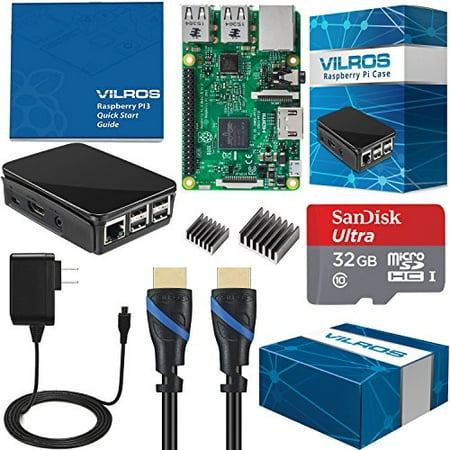
Click here to get Vilros Pi 3 Start kit Bundle! icon

Hey guys,

Check it out!

Here's a cool and alternative way to watch videos or just listen to music found on youtube!

Raspberry pi 3 are a great single board mini computer that you can use for multimedia entertainment or for learning computing. Installed with Raspbian, you can use it to learn programming and coding. Some even use it to play retro games!

The problem with raspberry pi 3 is that, the processor and gpu isn't good enough to open up a chrome browser to watch youtube videos. You can tweak here and there but it'll still lag. I'm hoping they'll come up with better processor and gpu to at least past this test.

I made a mistake yesterday of signing in to my chrome browser account on my raspberry pi and it installed all my extensions and configurations I've had on my pc. Needless to say, I had to kill all the access process and finally just decided to pull out the plug!

Now, I've decided to use alternative terminal browser like linx to surf the net and mps-youtube to watch videos or listen to my favorite music on youtube. It's really a lifesaver. This is partly why I like to play around using linux and especially on the raspberry pi.

You learn to work around it's limitations. Try out new things and definitely learn a few things along the way too. Anyway, mps-youtube have been around for a long while and if you haven't try it out than you can go to the website to learn how to install it.

Watch my video to see what it can do!

icon icon

Click here to get Vilros Pi 3 Start kit Bundle! icon

Get your raspberry pi 3!

Did you know that there are still people who haven't heard of raspberry pi or even linux?

Ubuntu, been out for like years and most people are oblivious to it. That's why I like the fact that the raspberry pi 3 are cheap and small enough for people to get into. It's a great way to let children start learning about computing. If only, they were available back during my school days!


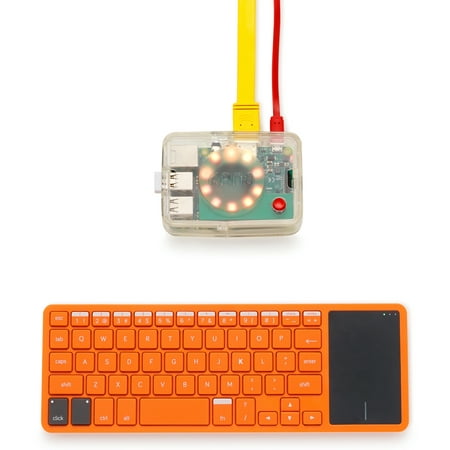
Kano Computer Kit 2017 â Make a computer, learn to code

Kano computing are one such company that's reaching out to the children!

Check them out!

Enjoy and happy computing!

P.S. Click here to get Vilros Pi 3 Start kit Bundle! icon

Wal-Mart.com USA, LLC