Apple iPad Pro 10.5-inch (256GB, Wi-Fi, Space Gray) 2017 Model

Hey guys,
Check it out!
It's been almost a month and I'm really happy with my iPad pro 10.5
 . The complete entertainment for surfing, researching, work, listening to music and of course gaming. Although, it would be really great, if I can pair my xbox one s controller to it.
I'm really hoping that games like diablo
 , left4dead
 and even starcraft
 be available for the iOS. The 10.5 and 12.9 inch iPad screen are really great for gaming. Right now they're using A10X Fusion chip, but there'll probably be an upgraded version with the faster A11X.
RealVnc, are a really useful software. It's really easy to access my raspberry pi on my pc, laptop and now on my iPad pro. The best part is, it's Free!
Raspberry pi are also a great mini computer too. Now, they have the latest and faster version, Raspberry pi 3 b+
 . You can install raspbian or other version of linux on it and use it as a computer or even build your own diy robot!
It's really fun to be able to switch between an iOS and raspbian on my iPad. I can learn and play with coding pythons or other languages with Raspbian and even test it out. I can also quickly switch to iOS after I'm done.
Watch my video demo here!
Get the latest raspberry pi and iPad pro via the link below:

Apple iPad Pro 10.5-inch (256GB, Wi-Fi, Space Gray) 2017 Model


CanaKit Raspberry Pi 3 B+ (B Plus) Starter Kit (32 GB EVO+ Edition, Premium Black Case)


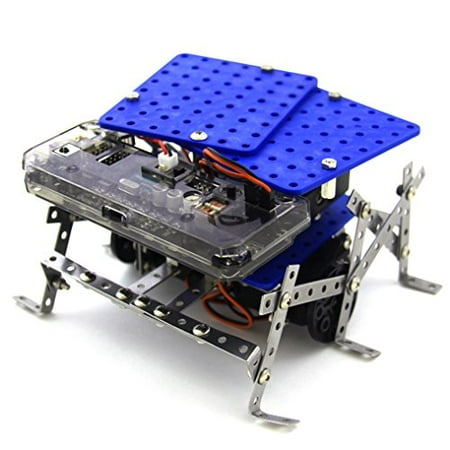
SunFounder Raspberry Pi Car DIY Robot Kit for Kids and Adults, Visual Programming with Ultrasonic Sensor Light Following Module and Tutorial
Learn and play at the same time with Raspberry pi smart robot car!
You can also use it as a mini computer. Great for kids to learn about Raspbian and programming. Loads of free learning software!
Add a pi camera
 and you'll have your own security cam!
Cool!
Subscribe to our blog and youtube channel for latest post and video upload!
Happy computing!
P.S. CanaKit Raspberry Pi 3 B+ (B Plus) Retro Gaming Kit with 2 Retro Gamepads


 as my game controller. I used
  . It was a little hard to record with one hand and play the game with the other.
 as my main camera and video editing using iMovie. I've been using different version iPhone as my main camera and editing for a long time. It's easy and fast to upload.
 for the phone.
 . Specifically, for garageband and iMovie. These are the only software that I'm used to using right now. I've tried looking for others for pc version but, it just doesn't feel as comfortable and easier to use.
 or
or  . These two cameras might be a tad overkill for just recording simple unboxing video. But, I'm also interested in using it for sky watching.

 and the picamera
 . Watch my demo video!
 , you can even use it combined with the pi. My picamera are connected to my raspberry pi while the servo are controlled by arduino. I've been googling and checking out sample python code and finally decided to try it out.
 now. Playing with raspberry pi and even arduino have helped in applying what I have learned. A couple month back (last year), I downloaded the free
  .
.


 for it. You might want to check out the products offering by Kitronik
 . BBC Micro:Bit currently are very popular in the U.K!
 . It's for my quadcopter project. A little troublesome, because they don't have any drone kit to go with the beaglebone blue. I'm still looking around for anything I like. If only, I get a sponsor. There're so many things, I want to try out. :p